 HLBXNAS
Holbox NAS Home turns an ordinary computer into a NAS with ZFS. File sharing, snapshots, backups, iSCSI disks, UPS and Home Assistant – all in one clear web interface, in English and Czech.
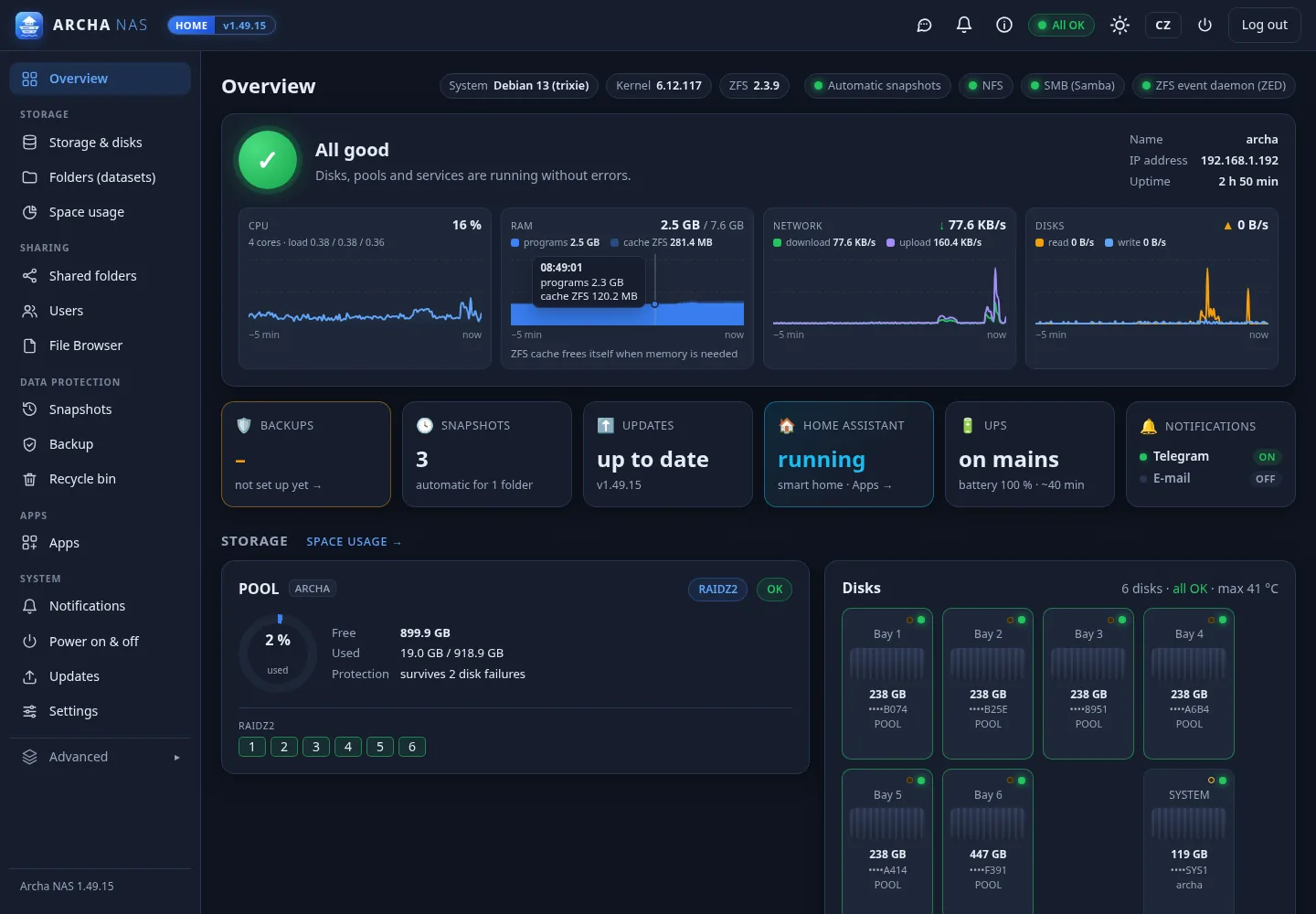
ZFS and Debian under the hood, just like business servers. On top, an interface anyone understands.
ZFS checksums every byte and repairs damaged data from the other disks by itself. Snapshots protect against deletion and ransomware.
The state of the whole system is saved before every update. If a new version does not start or does not work, the NAS rolls back by itself.
A first-run wizard, RAID recommendations based on your disks, plain-language messages instead of technical codes, and help next to every important option.
Plus a few things others are missing.
After installation the NAS guides you through everything you need: language, administrator account, NAS name, storage with a RAID recommendation and your first shared folder. When reinstalling, it restores your settings from a backup.
Mirror, RAIDZ1–3, hot spare. The wizard recommends a layout for your disks and shows how many disks may fail. Start with one disk and add protection (a mirror) later.
Drive bays with coloured status and activity LEDs, temperatures, wear and pool fill level, SMART, hard disk spin-down, scheduled tests and data checks. Disk replacement in a few clicks, even in the same bay. A single-disk pool can later be turned into a mirror.
For Windows, Mac and Linux. Users, groups, folder permissions and per-user quotas. Mac backup with Time Machine.
A network disk that Windows sees as its own. Thin provisioning, one disk = one computer with a CHAP password, step-by-step guide.
Automatically every hour and day. Restore individual files from the web or via Previous Versions in Windows.
A file deleted in a shared folder is not gone right away – the NAS recycle bin shows who deleted it and when, and one click puts it back in its original place. After 30 days it is deleted automatically (adjustable); new folders have it on by default.
To a USB disk, another pool or another ZFS NAS over SSH, or rsync. New: to a second Holbox, e.g. at your family's – paired with a one-time code, connected via Tailscale without opening ports. Also to an external NTFS disk you can open on any Windows PC. The NAS attaches a USB disk by itself, detaches it after the backup and tells you it can be unplugged – and if the disk is missing, the backup waits until you plug it in. Schedule, history and an alert when a backup fails.
Tick “Encrypt” and the data on the disks is encrypted – nobody can read it without the password, not even if the NAS is stolen or a disk is discarded. Lock and unlock with one click, optional automatic unlocking at startup. Backups of an encrypted folder stay encrypted, even on a USB disk or a Holbox at your family's.
Browse files in the browser with photo previews (incl. HEIC from iPhone, videos on request), download files or whole folders as ZIP.
Smart home as a virtual machine right on the NAS, with USB passthrough, snapshots and backups.
Failing disk, full pool, failed backup, power cut – to the bell, Telegram and e-mail.
Eaton, APC, CyberPower and budget USB UPSes, network cards or another NAS’s UPS. Clean shutdown, power-on when power returns, sharing with other devices.
The NAS can switch itself off and on by a timetable – overnight or at weekends, to save power. Before switching off it waits for a running backup to finish. One button tests whether your board supports it, and if not, the NAS tells you what to set in the BIOS.
One click. After an update the NAS checks by itself that everything works – and if not, it returns to the previous version. It saves the state of the whole system before every change.
On top of the password, a 6-digit code from an app on your phone – Google Authenticator, Microsoft Authenticator, Aegis, 2FAS. Recovery codes in case you lose the phone, trusted device for 30 days.
Password-guessing lockout (5 attempts → 15 minutes) with an alert, HTTPS with its own certificate authority, activity log. The web interface does not run as root; root operations go through a verified helper.
Ideas, bugs or questions go straight from the NAS to the author – no e-mail setup needed. The reply comes back to the NAS bell and the whole conversation stays in My messages.
Who changed what in the NAS administration, when and from where – sign-ins incl. rejected ones, pools, disks, shares, users, backups, updates. Search, a filter for rejected actions and CSV export. Handy when you need to find out who changed a setting.
Records of all NAS services right in the web interface, no SSH needed. Error and warning filter, search, live follow and a view of the previous boot – what happened before a crash or restart. Optional change log for shared folders: who created, modified, renamed or deleted a file. Old entries are deleted automatically (adjustable period and size cap), so the disk never fills up.
Real screens from a running NAS. Click an image to enlarge it.
An older PC, a mini PC or a computer with room for disks.
It takes about half an hour. You need a monitor and keyboard once for the installation – after that the NAS runs without them and you manage it from a browser.
⬇ Download holbox-nas-home-1.51.0-amd64.iso
Size 598 MB (Debian 13 + ZFS + Holbox). SHA256 checksum:19ad4b482f2bc5173b1382a8a62b6fa4291f29f80669ce14ddf1fa1d869841d1 (SHA256SUMS)
The installation works without internet – everything is on the ISO.
A stick of at least 4 GB – it is completely overwritten.
Boot the computer from the stick (the boot menu is usually on F12, F11, F8 or Esc) and choose Install Holbox NAS Home (English).
The installer asks only a few things:
The network is set up automatically from the router; it only asks if no router is found. The installation takes about 5–15 minutes.
At the end the installer asks you to remove the USB stick – then click Continue. The NAS restarts, moves itself to ZFS on the first start (about a minute) and restarts once more by itself.
With Secure Boot on, a blue screen appears once: press a key → Enroll MOK → Continue → Yes → password holbox → Reboot. The NAS shows a short on-screen guide beforehand.
The NAS monitor shows the administration address, e.g. https://192.168.1.50. Open it on a computer in the same network.
The first time, the browser warns about the certificate – the NAS has its own certificate authority. Click Advanced → Proceed. You can remove the warning for good in Settings → HTTPS certificate.
The first-run wizard sets up everything you need:
At the end it shows how to connect to the folder from Windows, a Mac and a phone.
holbox-… in your router's list of connected devices (DHCP).holbox; if you skip it, the NAS repeats the guide on the Overview.Holbox NAS is free. Every bug report and every contribution helps.
Please include the Holbox NAS version and the NAS number (both shown on the NAS in the ⓘ About Holbox NAS window), what you did and what happened. For bugs, a download from the System logs page helps too.
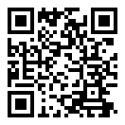
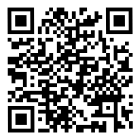
Do you like Holbox NAS? Any contribution to further development is appreciated.
Bank transfer (Czech account): 670100-2211873652/6210
Currently version 1.51.0 – the installation ISO can be downloaded and the NAS updates from the internet. Holbox is still in development: try it on a computer where you cannot lose anything and always back up your data. Source code is on the Source code page.
